Enhancing keyboard UI with KeyboardEffects

The 1.22.0 release is intentionally focused: it introduces a single new
component, KeyboardEffects.
KeyboardEffects lets you render your own content behind the system
keyboard. That content can be a plain color, a gradient, an image, a Skia canvas,
or any other React Native view.
Disabling keyboard translucency
By default, the iOS keyboard is translucent: it blurs whatever sits underneath
it, so messages or screen content can remain faintly visible. With
KeyboardEffects, you can place an opaque view behind the keyboard and make that
area look solid instead.
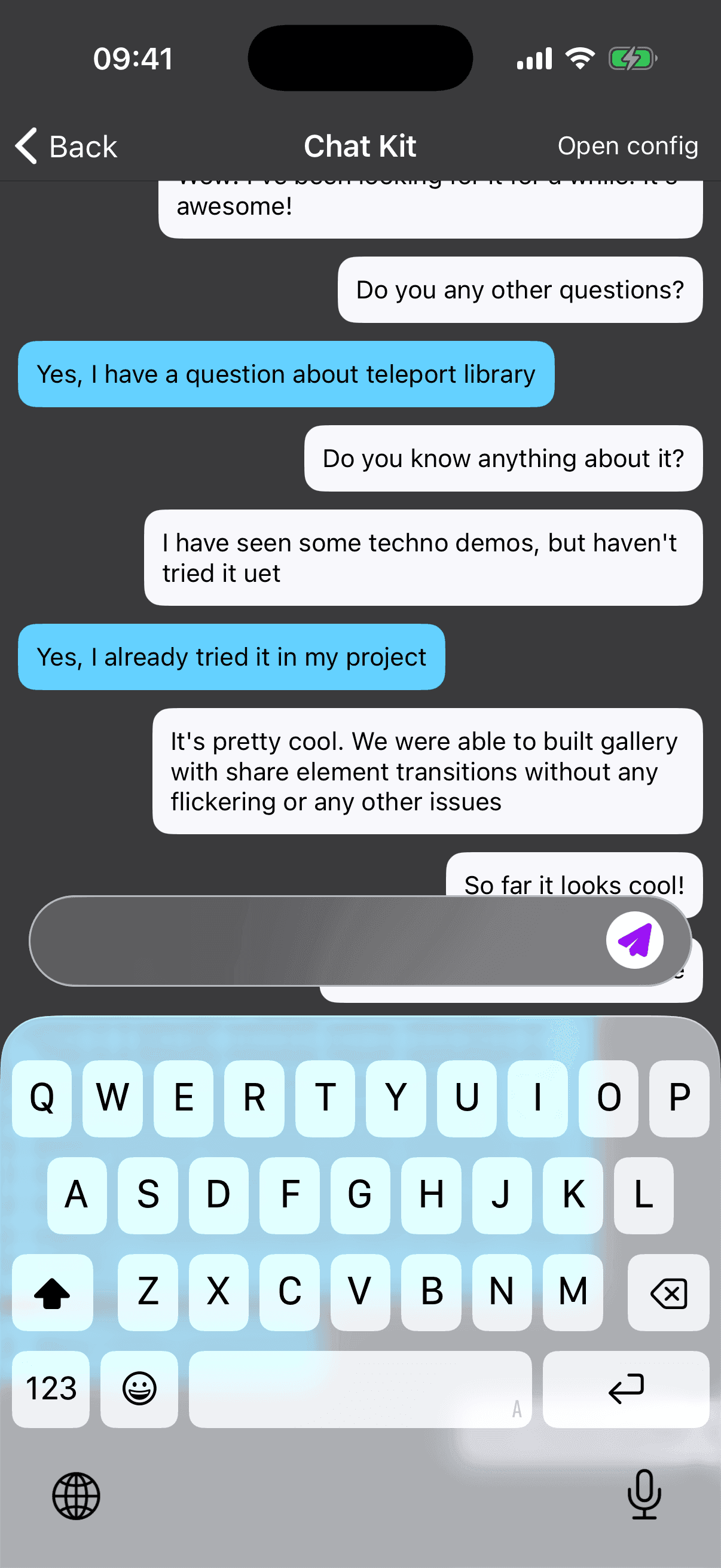 | 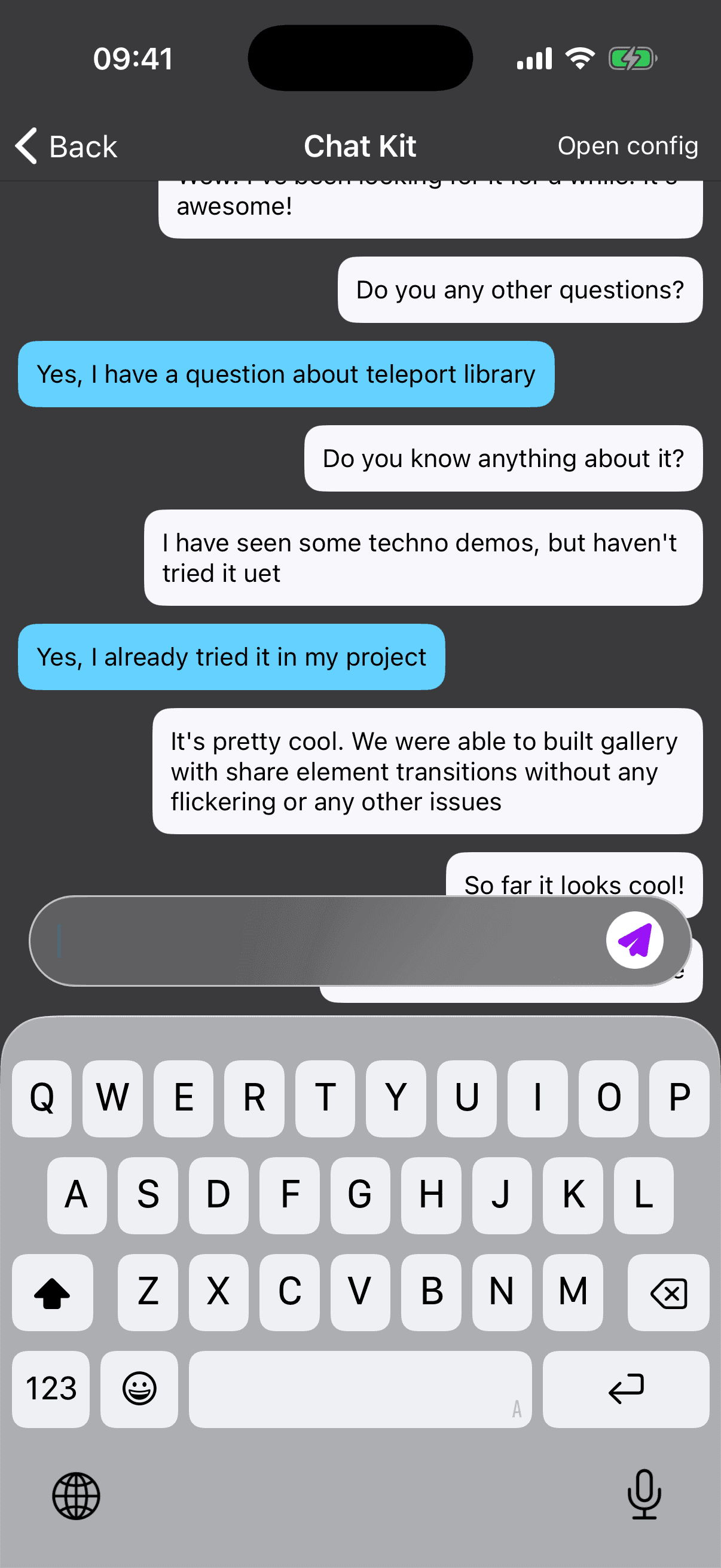 |
| Default translucent keyboard | Keyboard with translucency disabled visually |
import { View } from "react-native";
import { KeyboardEffects } from "react-native-keyboard-controller";

function ChatScreen() {
  return (
    <>
      {/* Your chat UI */}
      <KeyboardEffects>
        <View style={{ flex: 1, backgroundColor: "#0A0A0A" }} />
      </KeyboardEffects>
    </>
  );
}
Using brand colors
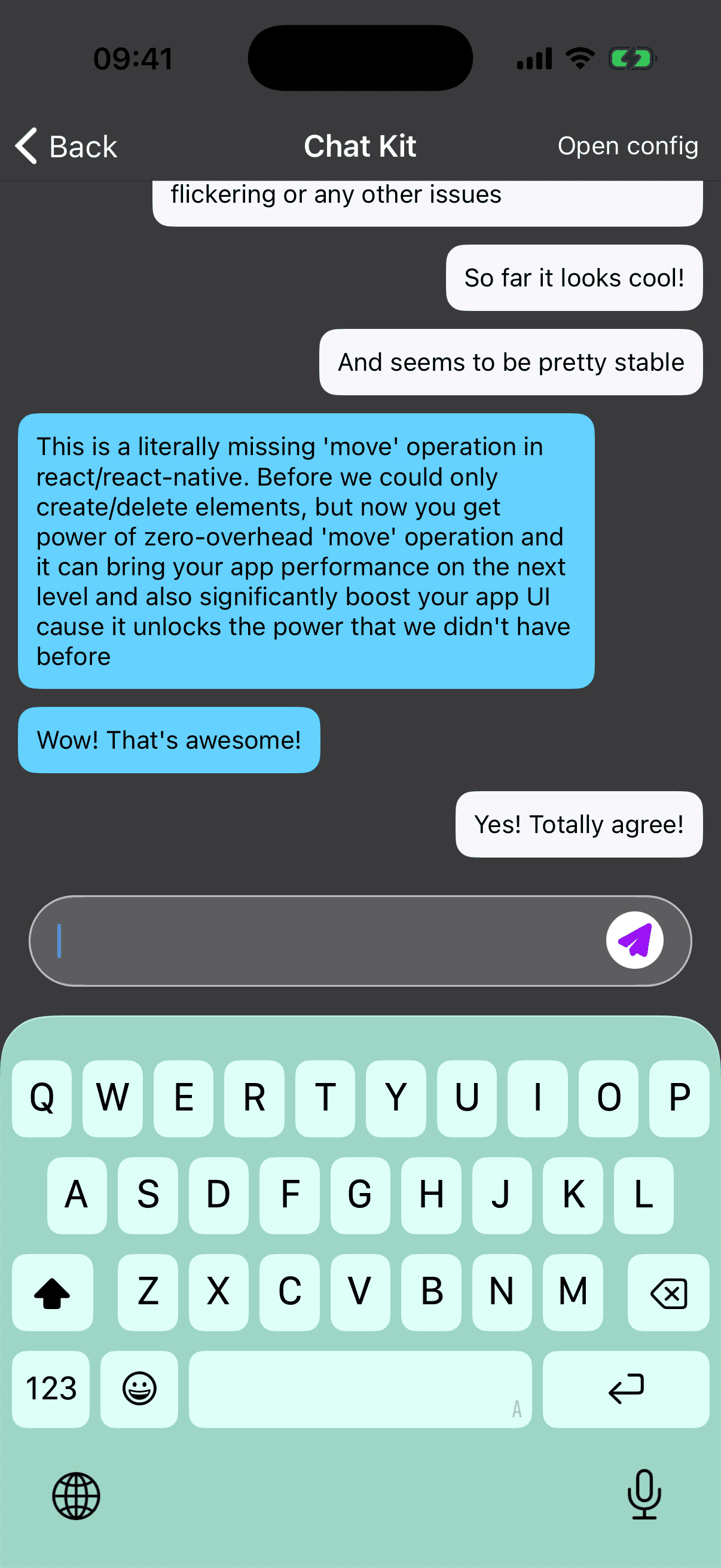
The same technique works for branding. Render a surface that matches your chat, composer, or app background, and the keyboard blends into the product instead of looking like a separate system layer.
import { View } from "react-native";
import { KeyboardEffects } from "react-native-keyboard-controller";

function BrandedKeyboardSurface() {
  return (
    <KeyboardEffects>
      <View style={{ flex: 1, backgroundColor: "#111827" }} />
    </KeyboardEffects>
  );
}
Because KeyboardEffects is built on top of KeyboardStickyView, the branded
surface follows the keyboard while it opens, closes, and moves interactively.
Transparent keyboard
For richer effects, pass the translucent prop. On iOS this removes the native
keyboard backdrop, so animated content rendered inside KeyboardEffects can show
through the keyboard buttons without being blurred by the system material.
import { KeyboardEffects } from "react-native-keyboard-controller";

function AIKeyboard() {
  return (
    <KeyboardEffects translucent>
      <KeyboardGradient />
    </KeyboardEffects>
  );
}
This is the same technique behind Apple Intelligence, AI Keyboard, and Siri-style keyboard glow effects: the keyboard becomes a translucent surface, while your app owns the moving color, gradient, or shader behind it.
The translucent keyboard effect is an iOS capability. On Android the system
keyboard is opaque, so the translucent prop is a no-op.
Learn more
You can read the full KeyboardEffects API page
or check the
AIKeyboard example
for a complete animated gradient implementation.